Code, light as a feather.
The native Mac IDE for working with an AI assistant: editor, terminals, source control and an API client in one small app. Let Claude Code, Codex or any AI tool write the code; Feather shows you every change, undoes anything, and runs your app right beside it.
Free · macOS 13 or later · Apple silicon and Intel · Notarized by Apple
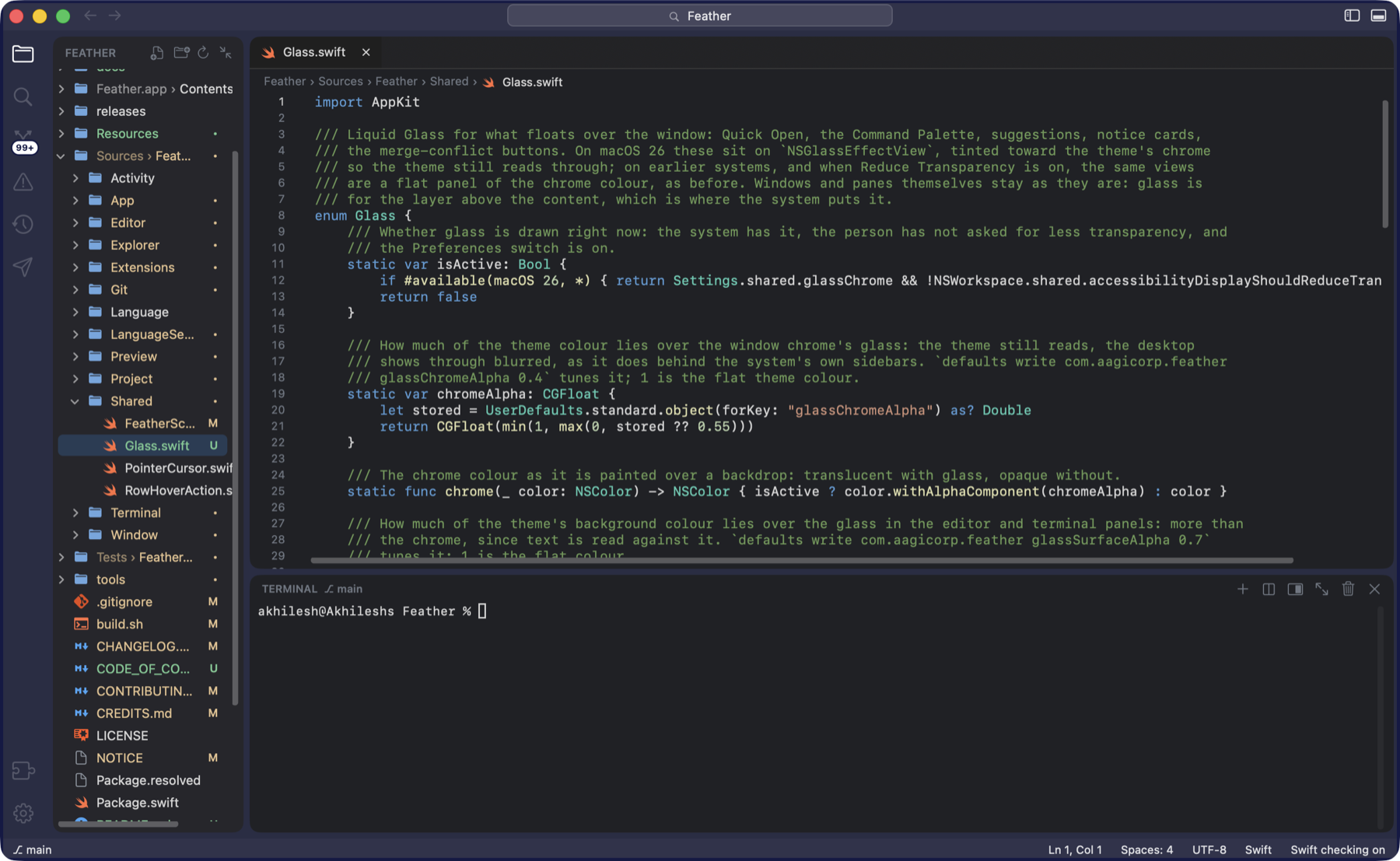
Let the AI write. Stay in charge.
More and more code is written by an assistant in the terminal. Feather is built for the person watching it work: you see every file it touches the moment it changes, you can put anything back with one click, and your running app sits beside the code.
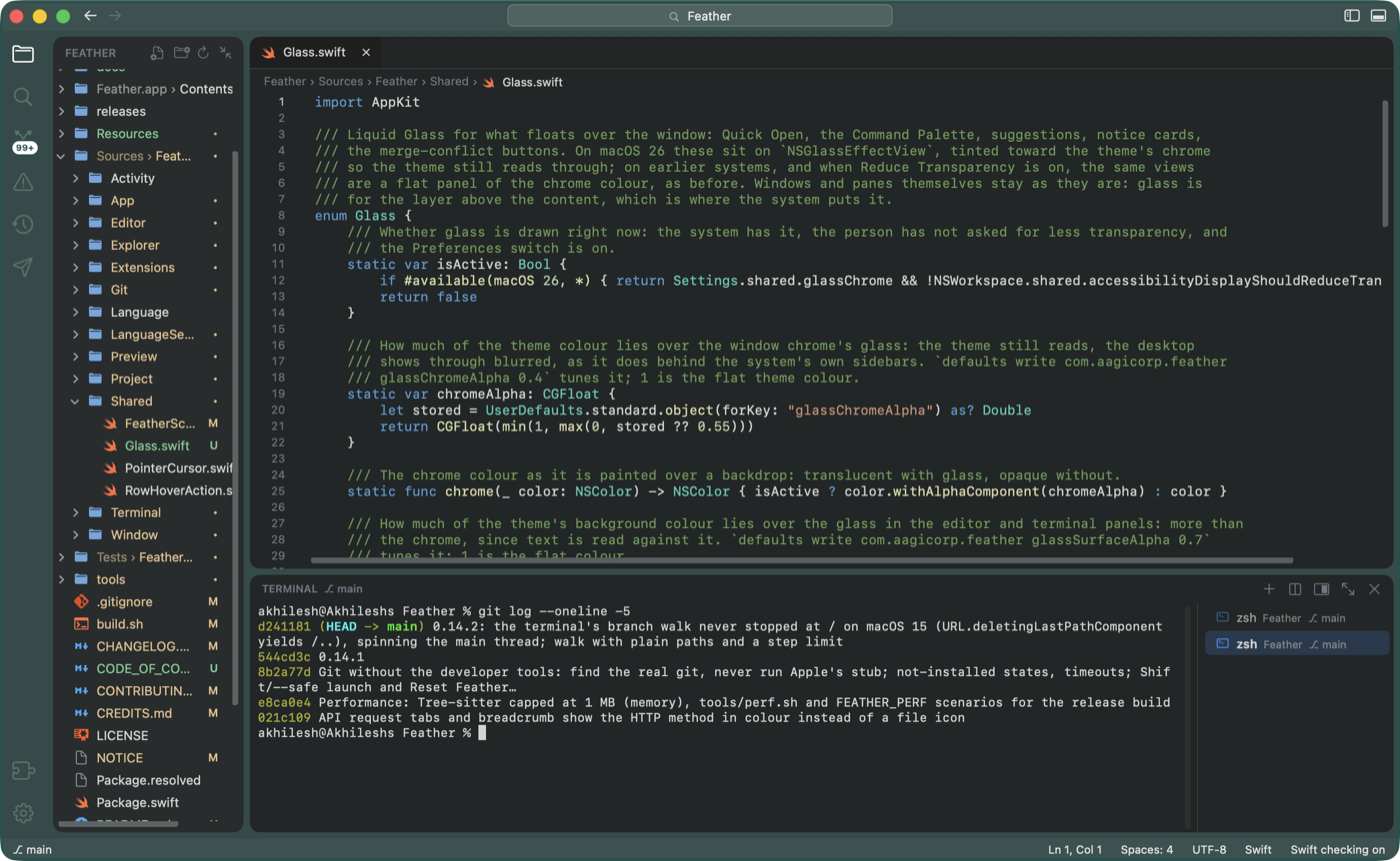
Underneath is a fast, native IDE, written in Swift and AppKit on the Mac’s own text system: one light process, nothing running while you think, and an editor, terminals, source control and an API client for when you want to change something yourself. On macOS 26 the sidebar, the editor and the terminal float as rounded panels on Liquid Glass, tinted by your theme or your project’s colour.
How it works
- Open your projectAny folder. Feather takes a checkpoint so nothing can be lost.
- Start your assistantOne click, or ⌃⌥A. Claude Code, Codex, Gemini, or your own command.
- Watch every changeEach file it touches, side by side with before. Undo all, or just one.
- Run and lookYour app in a tab beside the code, reloading as the files change.
See every change, undo anything
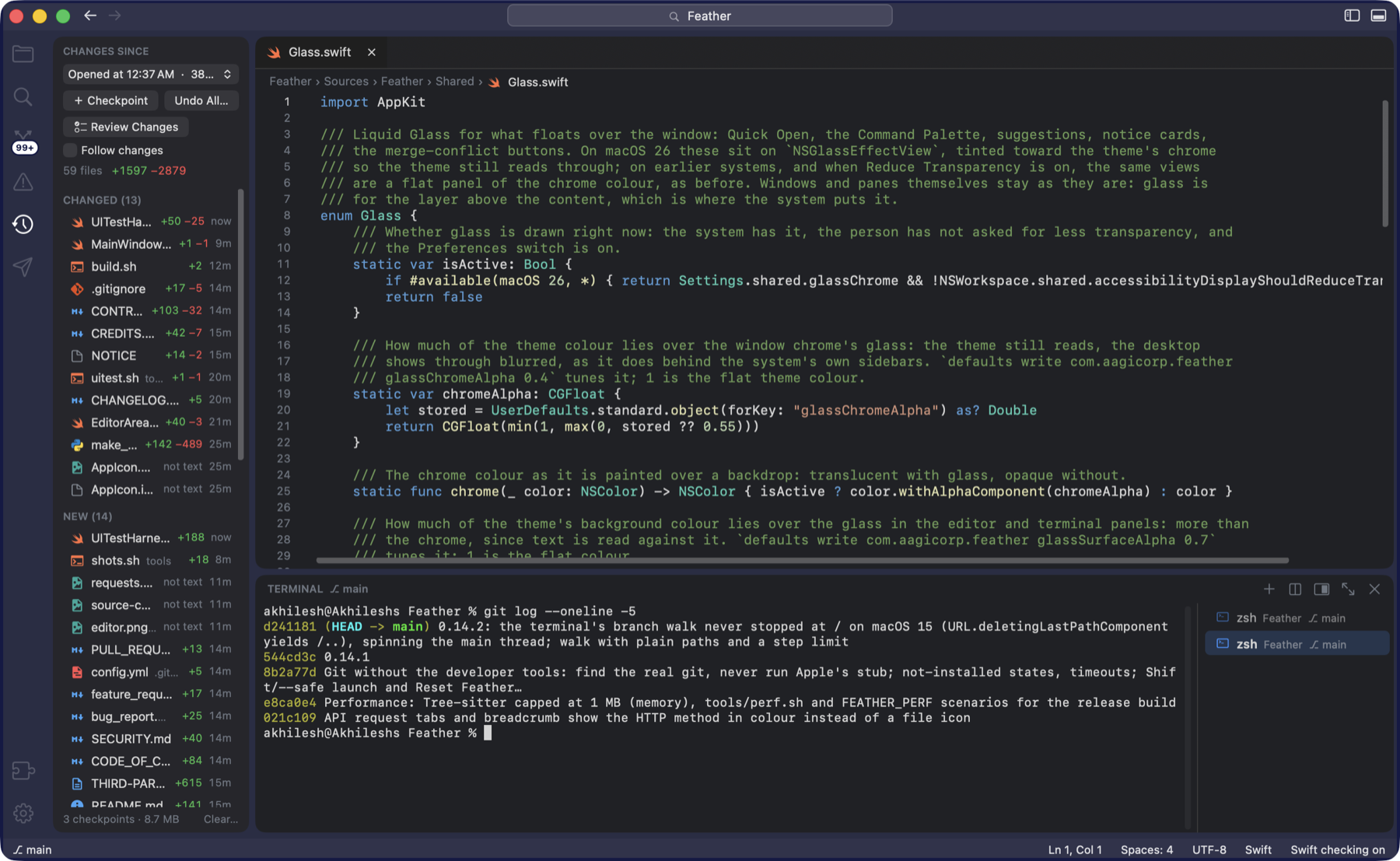
The Activity pane lists each file your assistant changed since the checkpoint, with lines added and removed. Click one to see before and after, side by side.
- Checkpoints in any folder, with or without Git, never touching your project’s own history
- Undo All puts every file back; new files go to the Trash, and you can put the changes back again
- Follow changes opens each file as it is edited and flashes the changed lines
- Files you have open update by themselves the moment something changes them
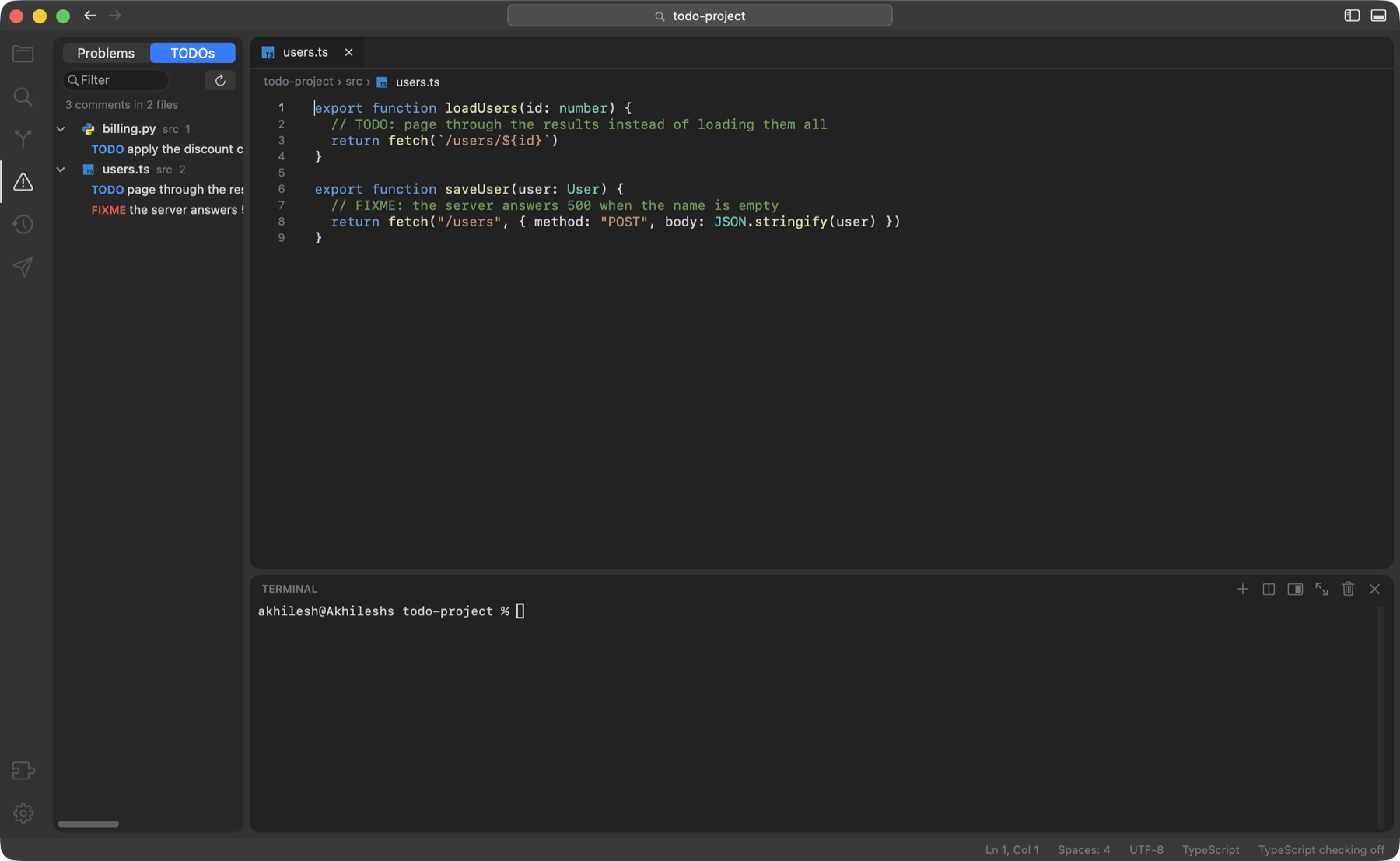
Fix errors without reading them
Every error in the project is in one list. Hover one and press Fix This: Feather hands the error and its exact place to your assistant, ready for you to press Return.
- Your app beside the code: when it starts, Feather offers a live preview, with phone and tablet widths
- Tells you when it is done: a notification when the assistant finishes or asks you something
- ⌘-click a path in the terminal, from a build error or a stack trace, to open that exact line
- Terminal on the side or the bottom, moved with one click
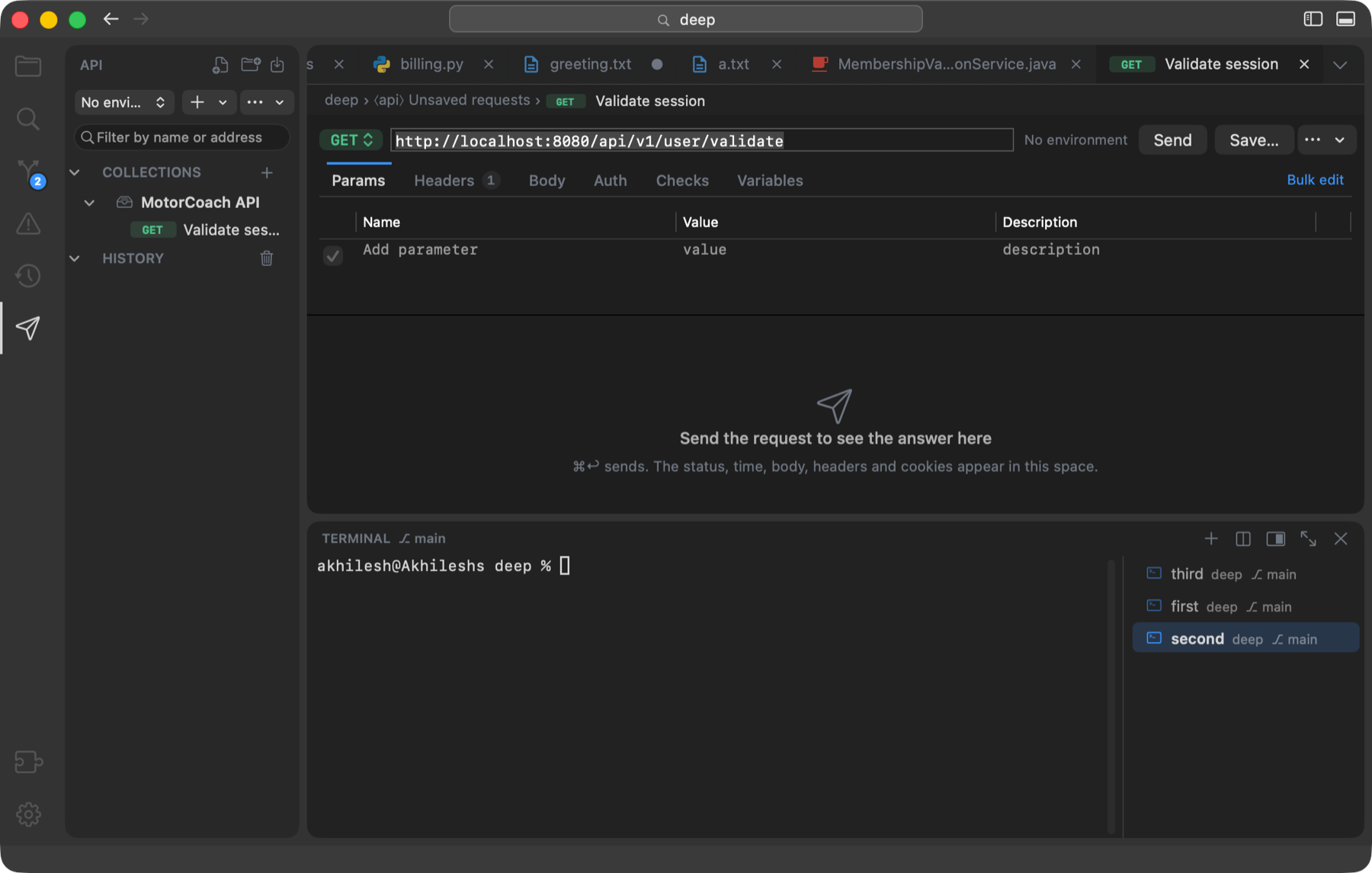
Call your API without leaving the editor
The Requests pane is a full API client, built in and on from the first launch. Collections live in the project as files, so the whole team shares them through Git, and a request is sent with ⌘↩ the moment it is written.
- Environments and variables:
{{name}}in the address, headers and body, filled from the environment you pick - Checks on the answer (the status, a JSON value, a header, the time) and variables set from it, so a login feeds the requests after it
- Import Postman, OpenAPI, .http and cURL, paste a curl command, or copy any request back out as one
- Answers you can read: JSON pretty-printed and coloured by the editor, headers, cookies, and the path of any value for a check or a variable
- Run a whole collection in order with its checks, and let your assistant write the requests for the API it just built
Everything you reach for.
Nothing you don’t.
Any AI assistant
Claude Code, Codex, Gemini CLI, aider, Cursor Agent, opencode, or any command you type. Right-click the ✦ button to choose.
Checkpoints and Activity
A snapshot you can always return to, and a live list of what changed since. Undo everything, or one file, or one block.
Live preview
Your running app in a tab that reloads as files change. ⌃⌥P opens it any time; plain HTML pages preview too.
Problems and Fix This
Every error and warning in one list, with a button that hands it to your assistant. A TODO list sits beside it.
API client
Send requests, keep collections in the project, use environments and variables, check the answers, import from Postman or OpenAPI.
Git you can read
Commit, pull, push and publish without the terminal; merge conflicts settled with Accept buttons in the editor; stage and revert per block; a branch graph.
A terminal that helps
Several at once, on the side or the bottom. ⌘-click a path in any output to open it. Drag a file in to paste its path.
Run Task
Scripts from package.json, Maven, Gradle, Flutter, pytest, Django, FastAPI and Makefile, found for you. ⌥⌘R, pick, run.
Understands your code
Completions, errors as you type, go to definition, rename and format, through a language server already on your Mac. Installing them from inside Feather is coming as extensions.
Edit at every cursor
⌘D selects each next match, cursors above and below, folding, and the enclosing function pinned while you scroll.
Find anything
Open a file by name, search the whole project, jump to a symbol, and a palette for every command.
Folder trust
An unfamiliar folder opens in Restricted Mode: look and edit freely, while nothing from it is allowed to run.
Picks up where you left off
Windows, tabs, splits and terminals come back at launch. Auto save, .editorconfig, and a What’s New page after each update.
Floating glass panels
The sidebar, editor and terminal are rounded panels standing off each other, on Liquid Glass on macOS 26, dyed with your project’s colour.
Every common language, coloured out of the box
Feather ships the IDE; the language servers are yours. One already on your Mac is picked up as it is, for error checking, suggestions, go to definition and rename, and the status bar says when one is missing and how to get it. Installing languages from inside Feather, as extensions, is on its way.
Syntax colouring for all of these works with nothing installed.
Native, all the way down
- 7.1MB
- The download
- 93MB
- Memory with a project and a terminal open
- 0.27s
- From launch to window
- 0.3%
- Of one core when idle
The download is the Feather 0.14.3 disk image. Memory and idle processor are from tools/perf.sh on the 0.14.3 release build on an Apple M5 MacBook, with a project and a terminal open; launch time was measured on 0.9.
Git without the terminal
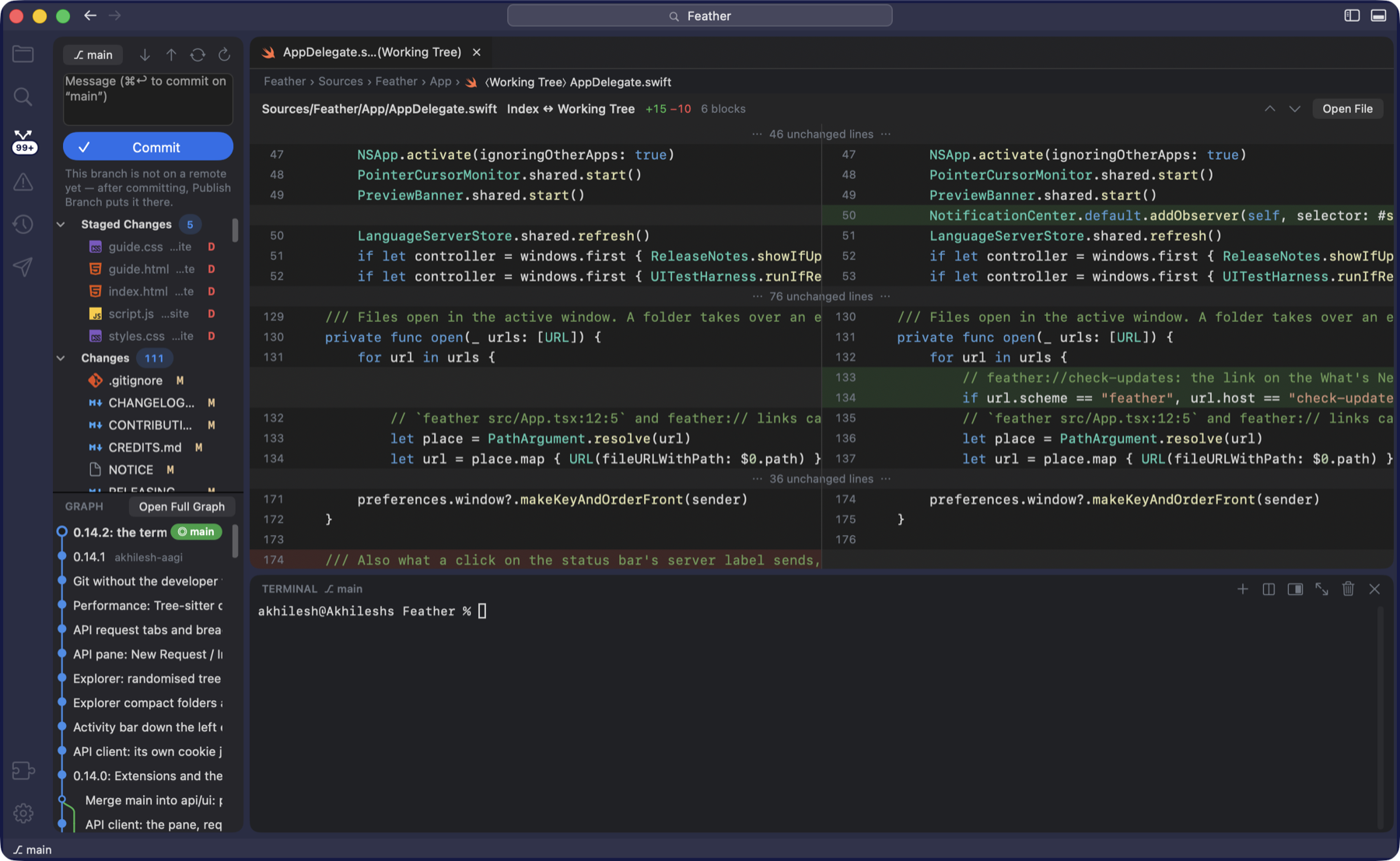
The Source Control pane is laid out like VS Code’s: changes with their status letters, one button that is Commit, Publish Branch or Sync Changes as the moment needs, and the graph underneath. The explorer shows the same marks on every file.
- Publish Branch pushes with tracking, or creates the repository on GitHub through
ghwhen there is no remote yet - Merge conflicts settled in the editor: Accept Current, Accept Incoming or Accept Both above every block, each one undoable edit
- Stage, unstage and revert per block in a side-by-side diff; blame in the status bar; stash from the branch menu
- Keeps up with the terminal: a commit or checkout made there shows up in the pane, the status bar and the explorer by itself
- Works without git installed: everything else runs, and Source Control offers to install the Command Line Tools
Your theme, your colour
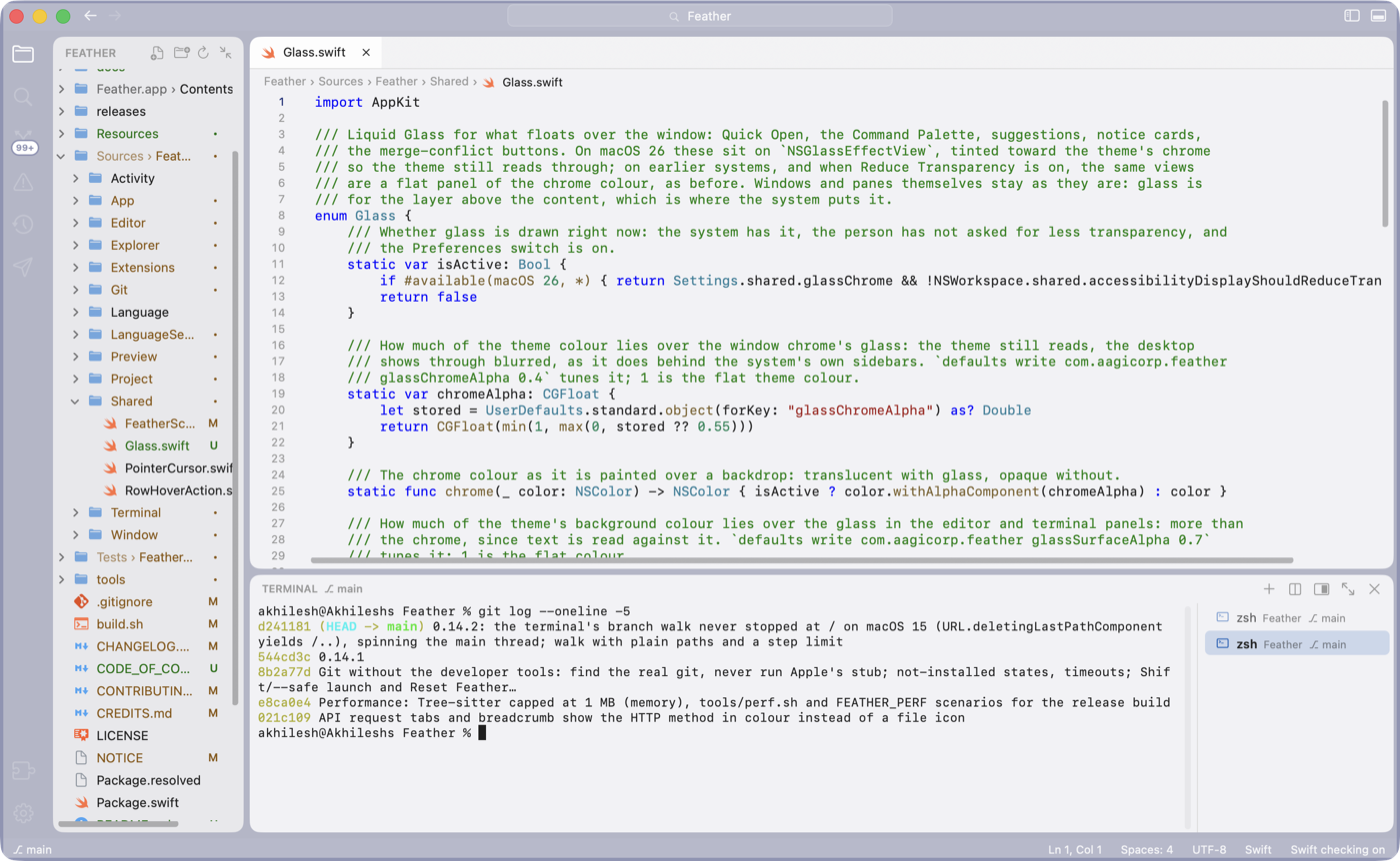
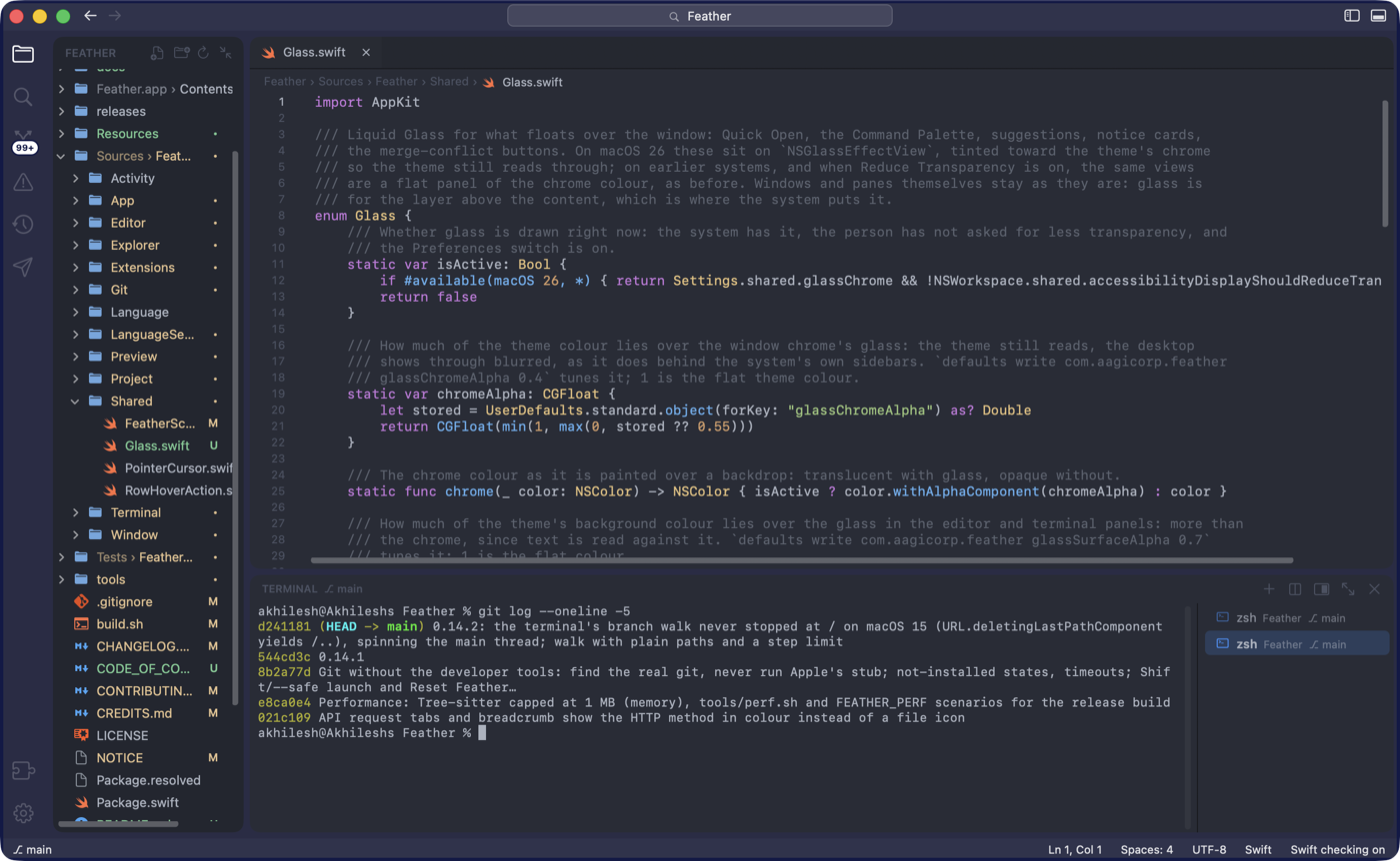
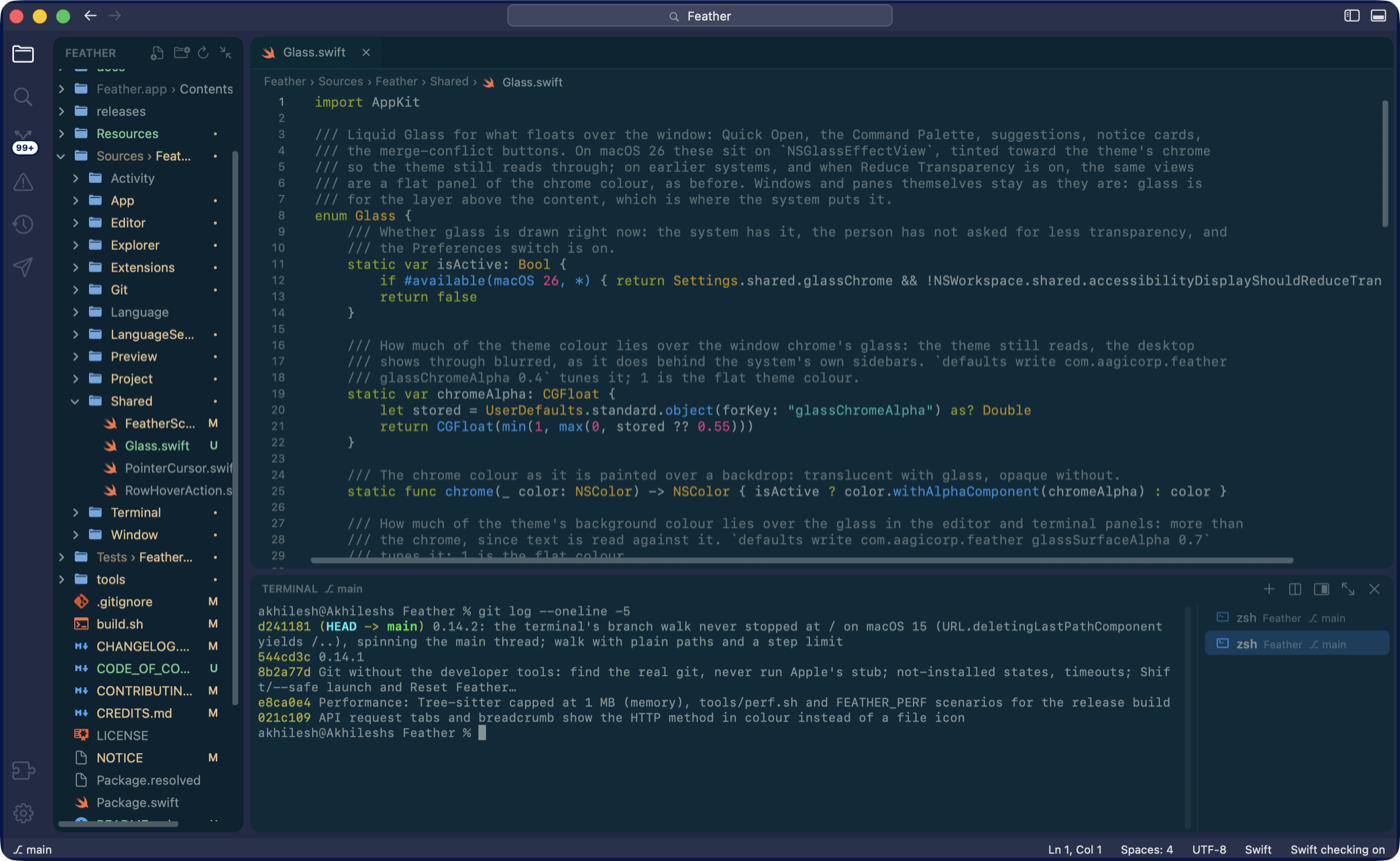
Dark, Light, Midnight, Solarized Dark and GitHub Light come built in, and any VS Code theme imports from its *-color-theme.json file. The theme colours the editor, the terminal, the sidebar and the window chrome, and tints the glass on macOS 26.
Give each project its own colour and tell windows apart at a glance: it is dyed into the title bar, the status bar, the activity bar and the ground under the panels, while the code keeps the theme’s own background.
Available at no charge
For developers
The full IDE, free. Open the disk image and drag Feather into Applications. Bring your own AI assistant; Feather never sends your code anywhere.
Download for macOSOpen source
For teams
Signed with a Developer ID and notarized by Apple, so it installs on managed Macs without warnings. Feather is open source under the Apache 2.0 licence: read it, build it, change it.
See what is inside